
How to deactivate Twitter temporarily, and what temporary means on X
How to deactivate Twitter on the web, screen by screen, with the app paths too. Learn what the confirmation asks, why the break lasts 30 days at most, and what to do first so nothing signs you back in.


To deactivate Twitter, open "Settings and privacy", go to "Your account", select "Deactivate your account" and confirm with your password.
• On x.com, start from the More icon.
• Read the deactivation information, select "Deactivate", then enter your password.
• Sign back in within 30 days to undo it, or the account is deleted.
The walkthrough below covers each screen, the app paths, and how long "temporarily" really lasts.
How to deactivate Twitter on the web
Twitter is now X, and the deactivation route on x.com takes four screens. X's help page on deactivating your account gives the same steps for the website, with matching ones for the apps.
On a computer:
- Open the menu. Click the More icon, then click "Settings and privacy" in the drop-down menu.
- Find the deactivation option. From the "Your account" tab, click "Deactivate your account".
- Read, then start. Read the account deactivation information, then click "Deactivate".
- Confirm with your password. Enter it when prompted and click the "Deactivate account" button.
That last click is the commitment. From there, the 30-day window is running.
The direct settings links X gives for deactivation
If you'd rather skip the menus, X's help page lists two direct addresses for the same screens: x.com/settings/account and x.com/settings/deactivate.
Paste either into the address bar while signed in. The first opens your account settings, the second goes straight to the deactivation screen.
Either way you still go through steps 3 and 4. The shortcut saves navigation, not confirmation.
What the deactivation screen asks you before you confirm
X asks you to read the account deactivation information before the "Deactivate" button does anything. Take that screen seriously, because it is the last summary you get.
The help page behind it covers the points that matter:
- The window: deactivation lasts 30 days.
- Visibility: your username and public profile stop being viewable on x.com and the apps.
- The outcome: if you don't access the account within 30 days, it is deleted.
- Your data: deactivating does not remove data from X systems.
If anything on that list surprises you, stop there. Nothing has changed yet.
Why X asks for your password to deactivate Twitter
The password step is a check that you are the account holder. X says deactivation is an action that must be taken by the confirmed account holder.
If the password doesn't work, X says you may need to reset it, and suggests requesting a password reset email.
It is also why someone else can't deactivate your account for you. X says it can't deactivate an account on your behalf unless you contact it from the confirmed email address or have access to the verified phone number.
So keep your email and phone up to date before you start. They are your way back in, too.
How to deactivate Twitter in the iPhone or Android app
The app route reaches the same screens, with slightly different labels. X lists them on the same help page.
On iOS, tap the navigation menu icon, then "Settings and privacy", then "Your account", then "Deactivate your account". Read the information, tap "Deactivate", enter your password, tap "Deactivate" again, and confirm with "Yes, deactivate".
On Android, you'll see either the navigation menu icon or your profile icon at the top. Tap it, then "Settings and privacy", then "Account", then "Deactivate your account", and finish with the same confirmations ending in "Yes, deactivate".
The result is identical on every platform.

What temporarily means when you deactivate Twitter
Temporary has a hard limit. X says deactivation lasts 30 days, and it documents no longer pause.
Inside those 30 days, the account is hidden and fully recoverable. Past them, X says the account is permanently deleted.
There is no setting that freezes an account for three months or until you feel ready. The only reversible window is 30 days, and the only way to stop the countdown is to sign back in.
So "deactivate temporarily" is accurate, as long as you remember the date.
Can you pause Twitter for longer than 30 days?
Not through deactivation. A longer break means returning before day 30, which makes your account visible again.
X doesn't publish a limit on deactivating again after you come back, but every return reactivates the account. It is not a way to stay hidden.
For a longer break, two lighter tools fit better. Protect your posts so only approved followers see them, or log out of every session and simply stay away.
Neither has a clock. Your account stays exactly as it is until you decide otherwise.
What happens the moment you deactivate Twitter
Your public presence goes quiet. X says your username and public profile will not be viewable on x.com, X for iOS or X for Android.
Your data stays put. X says deactivating your account does not remove data from X systems.
A few details are worth knowing:
- Mentions of your username in other people's posts still exist, but no longer link to your profile.
- Direct Messages are not deleted during the 30 days.
- Your username and email stay tied to the account so you can come back.
That combination is what makes a deactivation genuinely temporary.
How to reactivate Twitter before the 30 days end
Coming back is a normal sign-in. X's page on reactivating your account says that if it's been less than 30 days, you simply log in.
Before you sign in, X shows a notice asking you to confirm that you want to reactivate. Confirm, and X sends you to your Home timeline.
Don't expect everything at once. X says posts, followers and likes may take a while to fully restore.
If the profile looks thin at first, wait. A second deactivation won't speed anything up.
Logins that undo a Twitter deactivation by accident
Any login reactivates the account, and not only the ones you make on purpose. X warns that if you authorized third-party apps, you may be indirectly logging in from another app.
That includes scheduling tools, games and websites where you used your X account to sign in.
X's page on third-party apps and sessions gives the fix. Go to "Apps and sessions" in your settings and click "Revoke access" next to each app before you deactivate.
If you plan to come back after a short break, you can connect them again later.
Your subscriptions don't pause with the account
Deactivation doesn't cancel paid features bought in the app. X says that if you have X Premium or Super Follows purchased through the X app, they will remain active.
X says you manage those through the platform where you originally subscribed, such as the App Store or Google Play.
Subscriptions bought on x.com are handled for you. X says they cancel automatically after you deactivate.
For a short break you may want to keep them. For anything longer, cancel first, because X links canceling X Premium as its own separate step.
Download your data before you deactivate Twitter
If you want a copy of your account, get it first. X says that if you want to download your X data, you need to request it before you deactivate.
The reason is simple. Requesting it later means signing in, and signing in ends the deactivation.
The request lives in the same "Your account" area as the deactivation option. Ask for it, wait until the download is ready, save it, and then deactivate.
When the deactivate button doesn't work for you
A few situations block the normal route. X's page on trouble deactivating your account covers them:
- The password is rejected: X says you may need to reset your password first.
- You no longer have the account's email: X says only the confirmed account holder can deactivate, so recover email or phone access first.
- The account is locked or suspended: X asks you to submit a deactivation request through its form instead.
None of these has a workaround inside settings. Fix the access problem first, and the deactivation follows.
An unexpected reactivation email after you deactivated
Sometimes a deactivated account comes back without you. X's older troubleshooting page says that if you receive an email that your account was reactivated and you did not log in, your account may have been compromised.
Treat that email as a security alert. Change your password, revoke apps you don't recognize, and use "Log out all other sessions" in "Apps and sessions".
Then deactivate again. The new 30-day window starts from that second deactivation.
Deactivation won't fix account problems on X
Some people deactivate hoping a restart clears a glitch. X says it doesn't.
If you're dealing with missing posts, incorrect follower or following counts, suspicious Direct Messages or a possible account compromise, X says deactivating and reactivating your account will not resolve it.
Deactivate for a break or an exit. For a problem, go to X's help center first.
Lighter breaks than deactivating Twitter
If 30 days feels too short or too final, X documents two softer options.
The first is protecting your posts. Under "Settings and privacy", "Privacy and safety" and "Audience and tagging", turn on "Protect your posts" so only approved followers see them.
The second is logging out everywhere. In "Apps and sessions", then "Sessions", X offers "Log out all other sessions" to end every other active sign-in at once.
Both keep your account intact with no deadline.
Deactivation is the stronger move, and the only one that ends in deletion if you let it.
Your checklist to deactivate Twitter safely
Go through it in order, then deactivate:
- Request your archive and save it once it's ready.
- Cancel or keep in-app subscriptions, on purpose.
- Revoke third-party apps in "Apps and sessions".
- Check your email and phone so you can sign back in later.
- Note the date, because day 30 is the deadline to return.
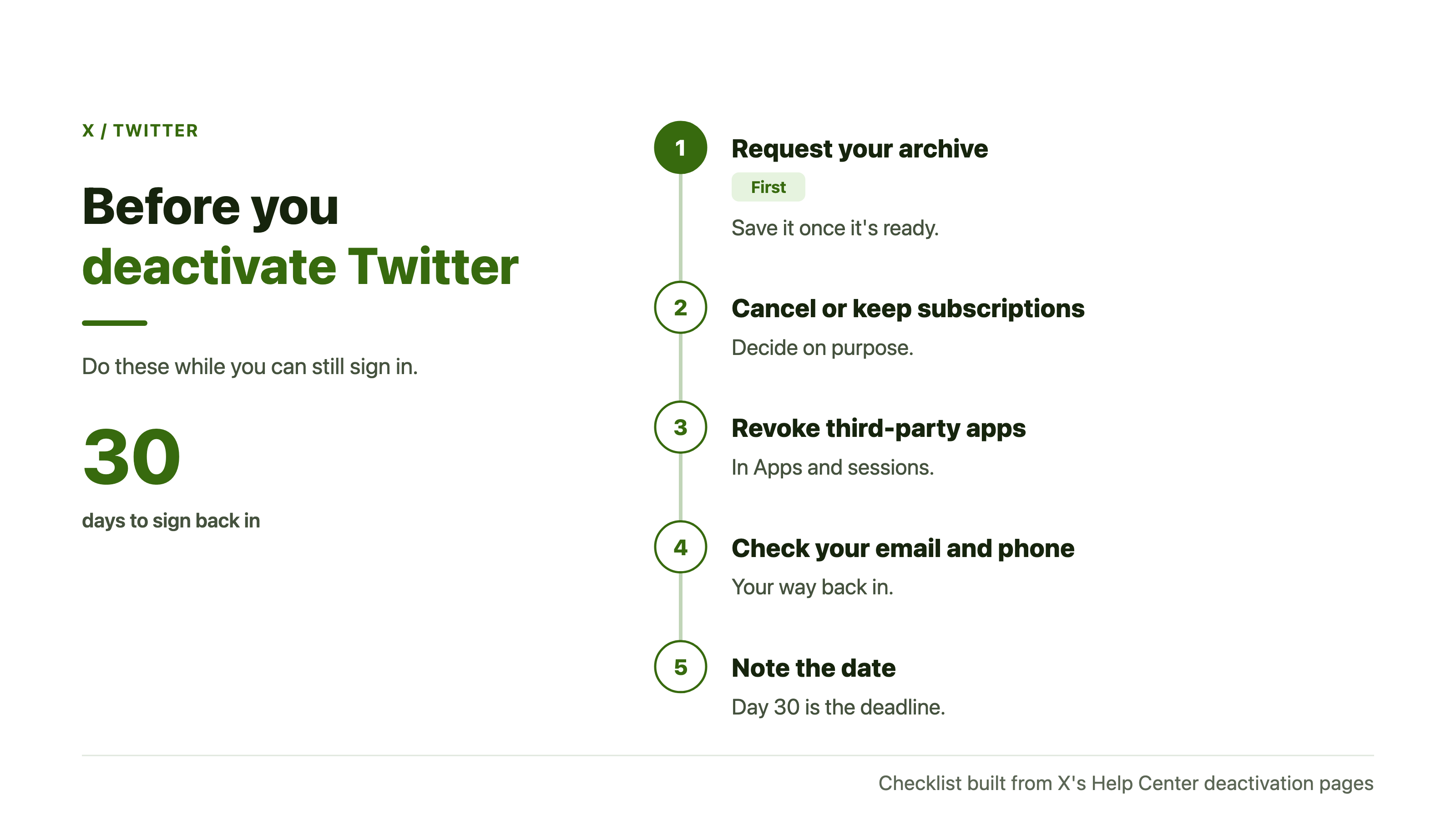
Then follow the four web steps at the top of this page.
Your next move is the archive request, since everything else is quick once it's done.
Twitter deactivation FAQ
Does deactivating log me out of every device?
X doesn't say it does. If you want every session ended, use "Log out all other sessions" before you deactivate.
Can I change my mind halfway through the steps?
Yes. Nothing happens until the final confirmation, the "Deactivate account" button on the web or "Yes, deactivate" in the apps.
Do I need the app to deactivate Twitter?
No. X documents the same deactivation on x.com, starting from the More icon, so a browser is enough.