I Stopped Posting Image Threads Live and Started Scheduling Them

For a long time my X workflow for image threads looked the same as everyone else's I knew. Block out half an hour at the moment I wanted to publish, type the hook tweet, hit reply, type the next tweet, attach the image, hit reply again, repeat until the thread was live.
The downside showed up every time a meeting ran long or a client call shifted my publishing window. The fix turned out to be a build-and-queue scheduler that holds the per-tweet image attachment through to publish, and it has held for over six months.
Can a thread scheduler really hold the per-tweet images through to publish, the same way a live-typed thread would?
Yes, and the publish-window control is the part that pays back the most. A scheduler that runs through official X Enterprise APIs holds the per-tweet image association from build time through the queue submission, and the thread publishes on the chosen date and time as a connected sequence with every image intact.
→ Schedule a Twitter thread with images
The Practitioner Frame I Had to Unlearn
The unlearning was awkward. I had spent years treating live thread typing as part of the craft. Posting the thread in real time meant I was committed, meant the urgency would carry through to the reader, meant the replies would feel reactive instead of canned.
That framing turned out to be wrong on both counts. The threads I assembled in a focused planning session were not lower-energy than the ones I typed live. They were higher-energy on average because I was not tweet-typing under deadline pressure. And the publish-window control I gained let the thread land at the audience's peak active hour rather than whenever I happened to finish typing.
Circleboom's piece on the Twitter thread maker workflow covers the broader case for why thread-construction belongs in a planning surface rather than a live-typing window. The piece helped me see the structural argument that took too long to internalize: the platform rewards threads that land at the right time, regardless of whether the typing happened in the moment or in a planning block.
The Concrete Case That Pushed Me to Switch
The push was a single thread. I had been prepping a 12-tweet image thread for weeks, with screenshots for nine of the tweets and a closing chart that I had spent an hour designing. I sat down to publish at 11 AM on a Tuesday because my audience analytics said that was peak active hour.
The first three tweets posted cleanly. On tweet four I uploaded the wrong screenshot, did not notice until tweet six, and had to delete the half-published thread and start over. By the time I had reassembled it the peak active window was gone. The thread published at 11:42 AM to a half-empty timeline and earned about a quarter of the engagement I had projected for it.
That was the last live-typed image thread I posted. The next one I built in a planning surface that holds the per-tweet image attachment, set the publish time for the following morning's peak active hour, and walked away. The thread published on schedule with every image attached to the right tweet, and the engagement matched the projection.
Circleboom's piece on how to make a thread on Twitter covers the thread-construction fundamentals that the scheduled workflow runs on.
How the Scheduled Image Thread Actually Runs Now
Connect the X account to Circleboom
- Log in to Circleboom Twitter and authorize the account with the official OAuth flow.
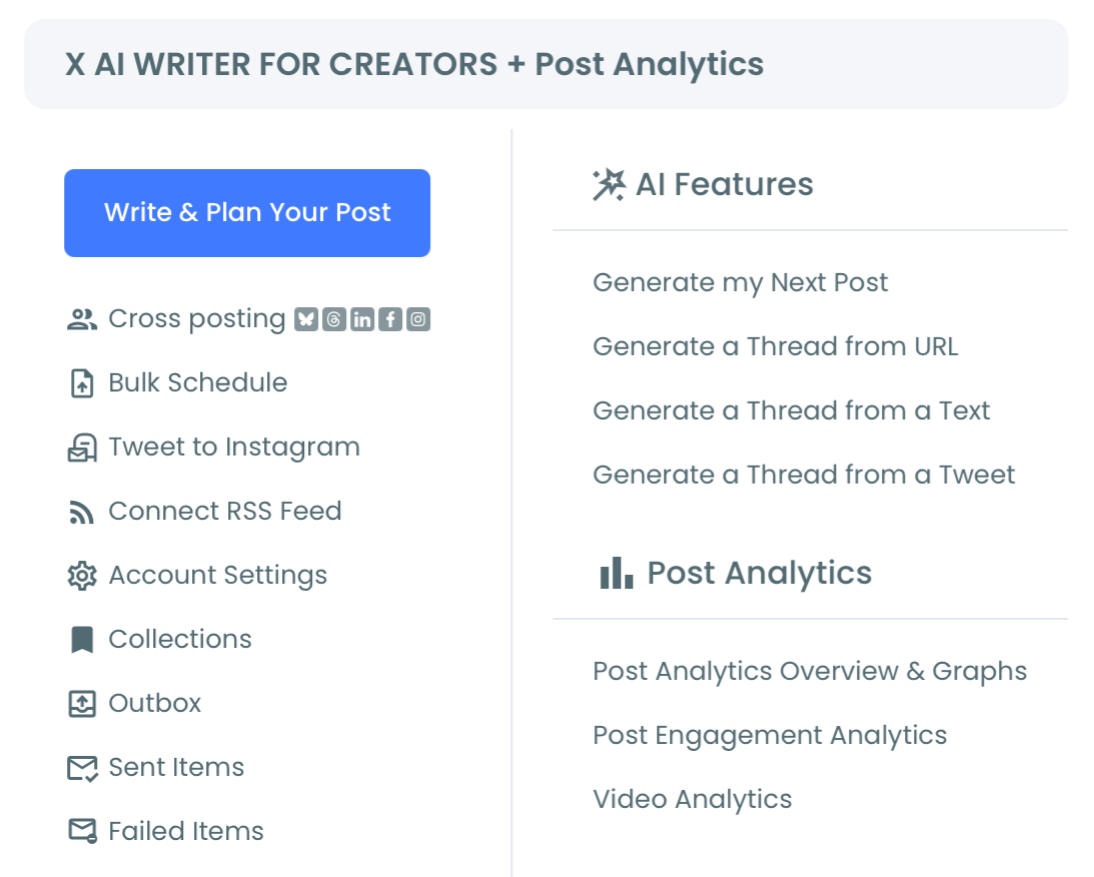
Open the X Post Planner menu and select the thread builder
- Open the X Post Planner menu and select the thread builder to load the multi-tweet assembly surface.
Assemble the thread, attaching images per tweet at build time
- Write each tweet in the thread sequence and attach the image to that tweet at build time. I usually batch the image prep separately (screenshots, charts, designed slides) before the build session, so the assembly itself runs in one focused block rather than a build-pause-design-build cycle. The per-tweet image association holds through the queue.
Set the publish time and confirm the queued thread
- Set the publish date and time for the audience's peak active hour, review the assembled thread once more for image-tweet alignment, and confirm the schedule to push the queue to the live thread-schedule surface. The thread publishes on schedule as a connected sequence.
That four-step sequence is what makes the planned image thread sustainable. The OAuth login earns sanctioned API access. The menu navigation loads the thread-build interface. The focused assembly block is where the per-tweet image alignment gets caught, and the schedule-and-confirm step is what removes the typing-under-pressure failure mode.
Video walkthrough: the build-and-queue workflow for a planned image thread from OAuth login through schedule confirmation.
What the Planned Image Thread Pays Back
The first payback is the image-mismatch failure mode disappearing entirely. I have not posted a thread with the wrong image attached to the wrong tweet since the first scheduled build, because the review pass catches the misalignment before the queue runs. The live-typing version of this workflow was where every image mismatch happened, and the cost compounded because the misaligned tweet sat in the published thread until I noticed.
The second payback is the publish-window control. The audience's peak active hour is a known window from analytics, and a scheduled thread lands inside that window regardless of what my calendar looks like that morning. The reach lift over a thread that publishes whenever I happen to be at a keyboard has been visible and consistent.
The third payback is the assembly-quality lift. When I build the thread in a single planning block I can compare the tweet-image pairs side by side, kill the weak ones, and balance the visual density across the thread. The average thread quality is visibly higher than what I produced when I was typing under publish-window pressure, because the comparison set is bigger.
The compliance side matters at any visible thread volume. The Circleboom workflow uses official X Enterprise Developer access for the queue submission. The scheduler stays within X's published platform limits throughout. Unsanctioned thread schedulers risk platform-level restrictions on accounts that submit threads at any noticeable cadence.
For adjacent surfaces I have started using, the Twitter scheduler overview covers the broader scheduling toolset. The bulk schedule tweets landing handles the high-volume queue for accounts running multiple threads a week.
External context that helped frame the publish-time math: DataReportal's global digital reporting covers the platform-level engagement trends that frame what realistic peak-active-hour reach looks like across audience sizes.
Schedule a Twitter thread with images is the workflow that replaced my live-typing scramble with a planned drop on the schedule the audience shows up for.
Related Circleboom reading on the thread-construction theme:
- Auto-generate Twitter threads from any text on the AI-assisted thread-build side.
- Generate a thread from a tweet on the source-to-thread workflow.
- Generate a Twitter thread from an article or news URL on the article-source variant of the same pattern.
Still Wondering?
Does the algorithm penalize scheduled threads compared with live-typed ones?
In my experience, no. The algorithm reads thread structure and engagement signals, not the metadata that distinguishes a scheduled publish from a live one. The penalty for typing threads under deadline pressure (image mismatches, late publish window, weaker tweet-to-tweet flow) is real, but there is no penalty for scheduled threads that read clean.
How do I make sure the per-tweet images line up with the right tweets through the queue?
The build-time review pass is the place to catch misalignment. Run through the assembled thread once with the image-tweet pairs visible before confirming the schedule. The queue holds the alignment from confirmation through to publish, so the only window where misalignment happens is during the build itself.
What if I need to update the thread between scheduling and publish?
Queued threads are editable up until the publish moment. Tweet text, image swaps, and thread-order rearrangements all run through the same compliant API path as the original queue submission, so the thread can be tuned right up until it goes live.
Should I schedule the full thread or post the hook live and queue the rest?
The fully scheduled thread is cleaner. The hook-live, rest-queued pattern is mostly a workaround for tools that do not handle thread queuing. With a build-and-queue thread scheduler, the full thread can publish on schedule and read identical to a live one.
Do I still need to engage with the thread after it publishes, even though it was scheduled?
Yes, more than ever. The freed time from skipping live typing should go into replying to comments on the thread, joining the conversations the thread sparks, and writing the reactive same-day posts that benefit from being in the moment. The thread becomes more engaged-with-others, not less, when the typing stops eating the publish window.
What the Next Thread Could Look Like
The build-and-queue thread workflow produces something the live-typing workflow cannot. The thread lands at the audience's peak active hour every time. The per-tweet image alignment is checked before publish rather than after. The writer's energy goes into the assembly rather than into typing under window pressure.
Six months from now, the threads land on schedule, the engagement rate moves on the timing signal rather than fighting publish-window slippage, and the daily X experience has gotten more enjoyable rather than less.
The build-and-queue thread scheduler is the structural change that produces all three. The unlock is not the time savings, it is the reframe of what thread publishing should be once the typing stops needing to happen inside the publish window.